How it all links together
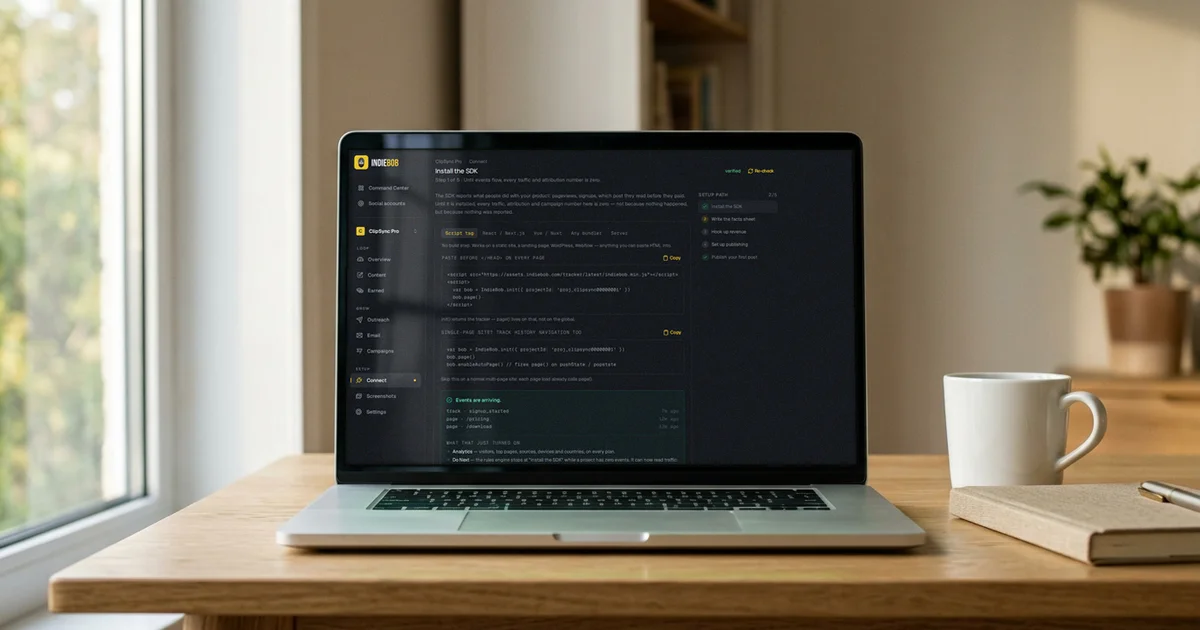
Most marketing tools are a drawer of separate things. A writer here, a scheduler there, an analytics tab that has never heard of either. You do the linking, in your head, on a Sunday.
IndieBob is one loop, and the links are the product. This is that loop walked end to end on one project — every screen real, every command below run once before it was written down. At the end of each step is the same sentence in a different costume: this step is a tool an agent can call.
1. The facts sheet: one true description of your product
Nothing downstream is any good if the machine writing it is guessing about your product. So the loop starts with a facts sheet: what the thing is, who it's for, what it costs, the claims you are willing to stand behind.
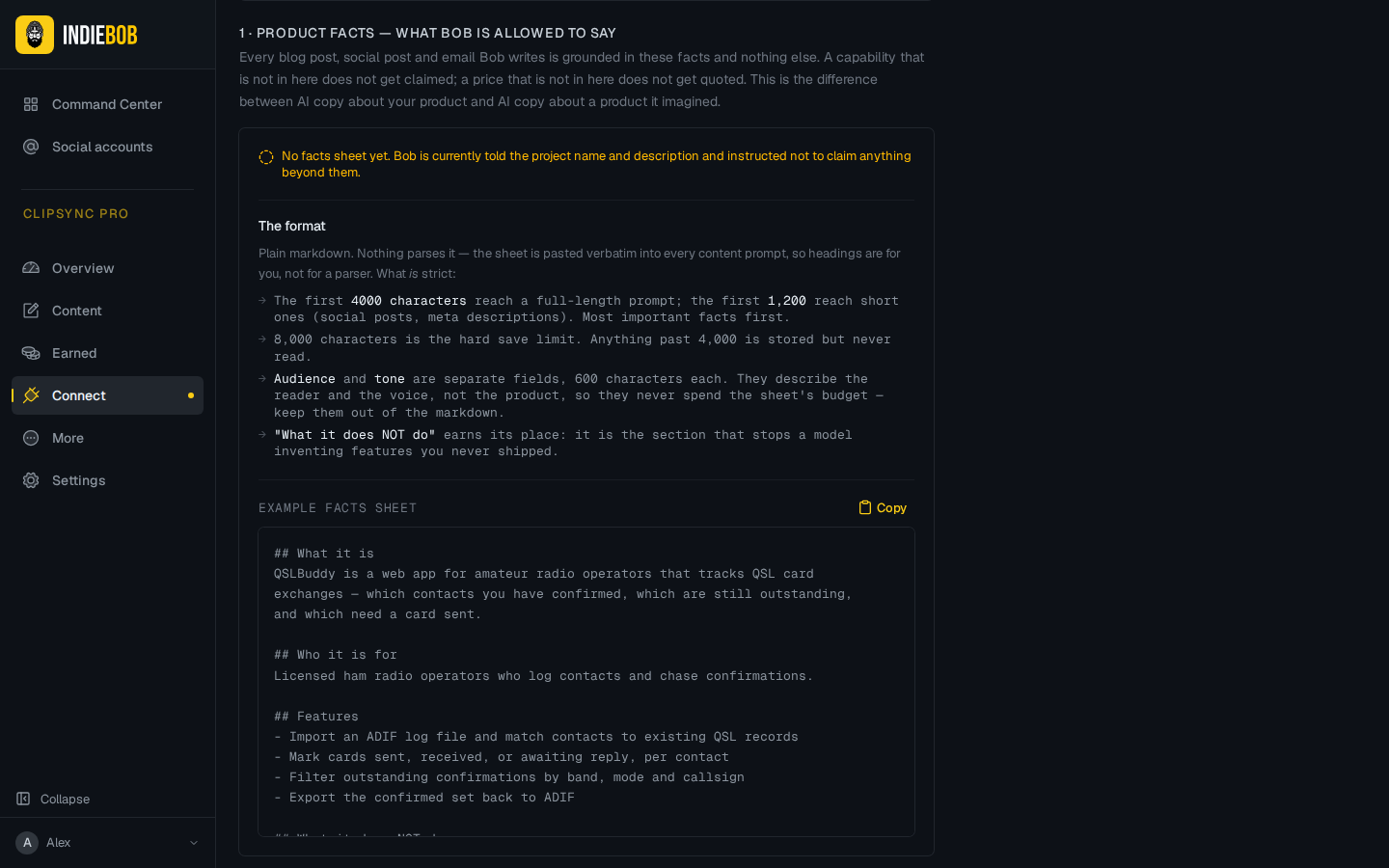
Every draft, every cold email, every social post is written from this sheet. It's why a post about your app reads like your app, and why Bob doesn't invent a feature you never shipped — the sheet is the only place claims come from.
Connect verifies five steps and reports what it actually observed, not what you ticked: SDK events, facts, revenue, publishing, first post.
2. A post, drafted and published — with its card
Write in the editor or ask Bob for a draft, then publish. The post hub is the artifact's own page: status, its live URL once traffic proves it, the SEO audit with an Apply button, and the distribution row.
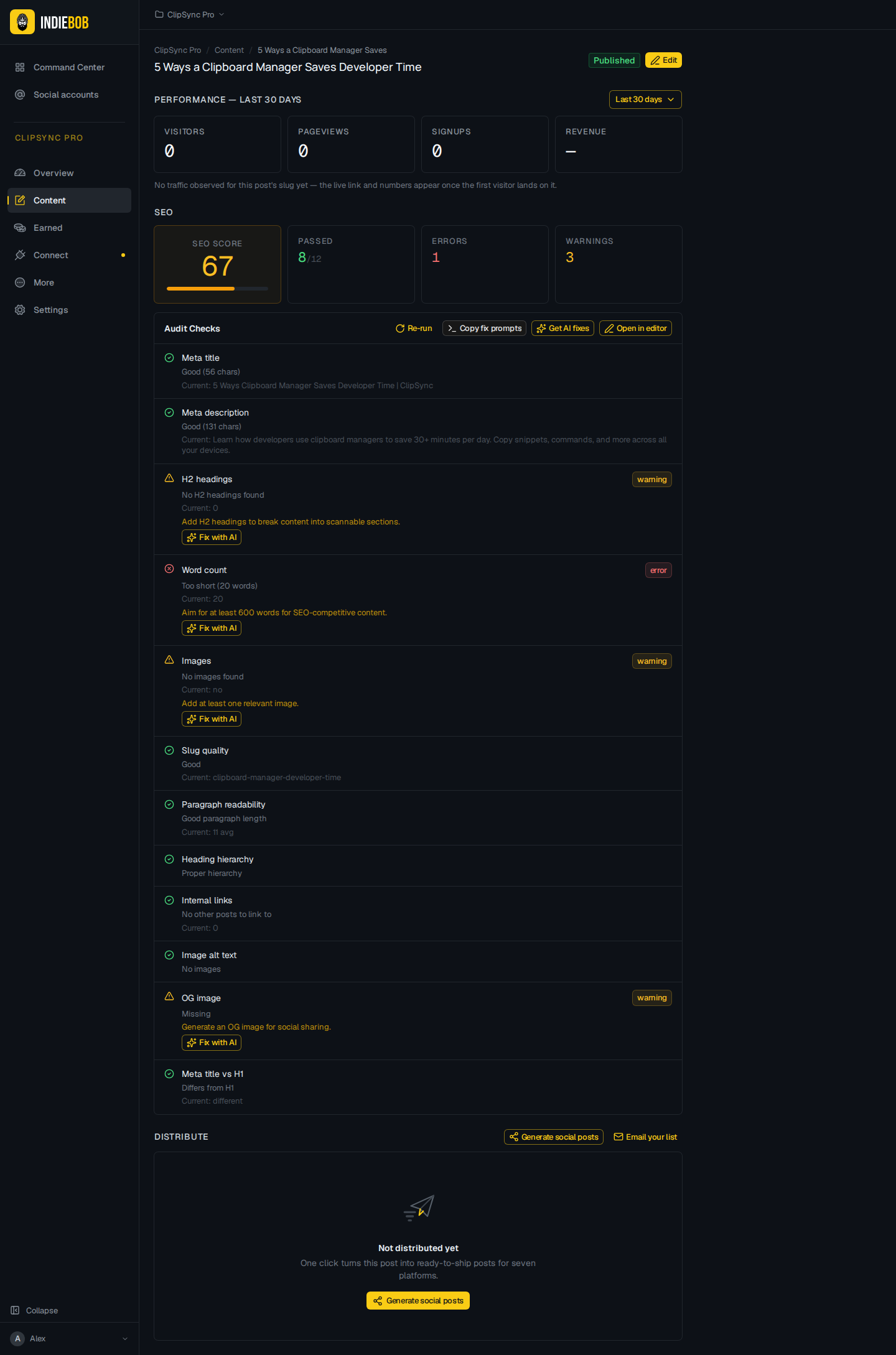
The share card is composed, not generated: your real logo, your real type, your real capture at the venue's size. We don't let a model paint a picture of your app — an invented screenshot is an invented claim, and it ships to everyone who sees the link.
Over the API the same publish is two calls:
curl -X POST https://www.indiebob.com/api/v1/content/posts \
  -H "Authorization: Bearer ib_sk_…" -H 'Content-Type: application/json' \
  -d '{"project":"my-app","title":"How it all links together","bodyMarkdown":"…"}'

curl -X POST https://www.indiebob.com/api/v1/content/posts/<id>/publish \
  -H "Authorization: Bearer ib_sk_…"
That is exactly how this post reached this page: markdown in the repo, pushed
through POST /api/v1/content/posts as a draft, read, then published. No
special path for us.
3. The SDK: first touch, kept until it pays
Drop @indiebob/tracker in your app and the loop closes. It's under 5 KB
gzipped, sets no cookies, and its first job is to remember where somebody came
from — the UTM, the referrer, the post they landed on — and keep it through
signup and through Stripe.
import { IndieBob } from '@indiebob/tracker'
const bob = IndieBob.init({ projectId: 'proj_…' })
bob.identify('user_123', { email: '[email protected]' })
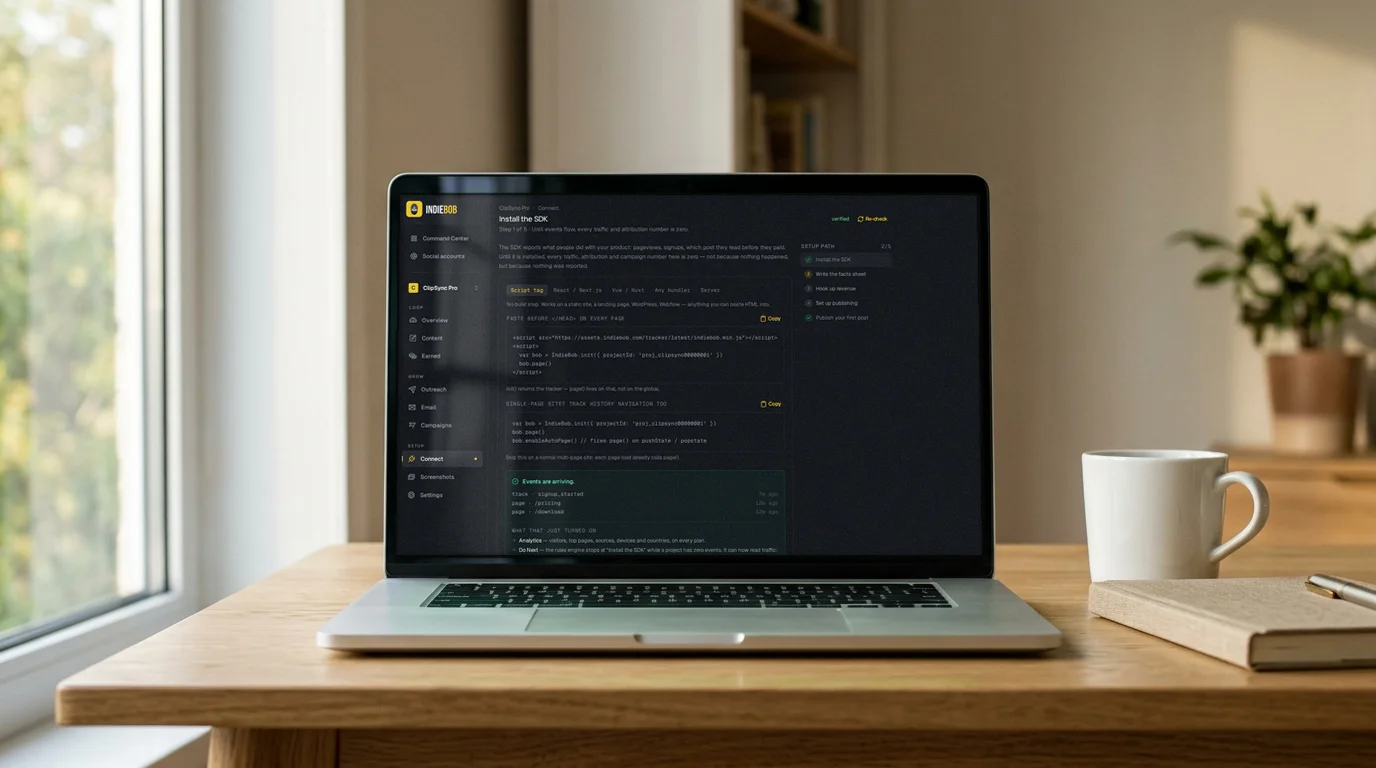
That's what makes "this post earned €X" a fact rather than a vibe. The Earned page reads it back per post and per source, and where there is no data it says so with an em dash instead of a confident zero.
4. A prospect, found where indie devs actually launch
The other half of the loop is the people who haven't heard of you. Discovery reads the venues where products get launched and maintained and pulls out businesses that match your facts sheet, with the evidence of where each one came from.
Then Bob reads that prospect's own website and writes the subject, an opening about their business, and one bridge sentence into your email. Your claims, your CTA, your sign-off stay yours. The reading and the writing both happen on our own solar-powered, battery-backed AI farm — a prospect's website text never leaves our hardware.
5. The email waits for a human
The first email to each prospect is held until you read it. Follow-ups approve themselves.
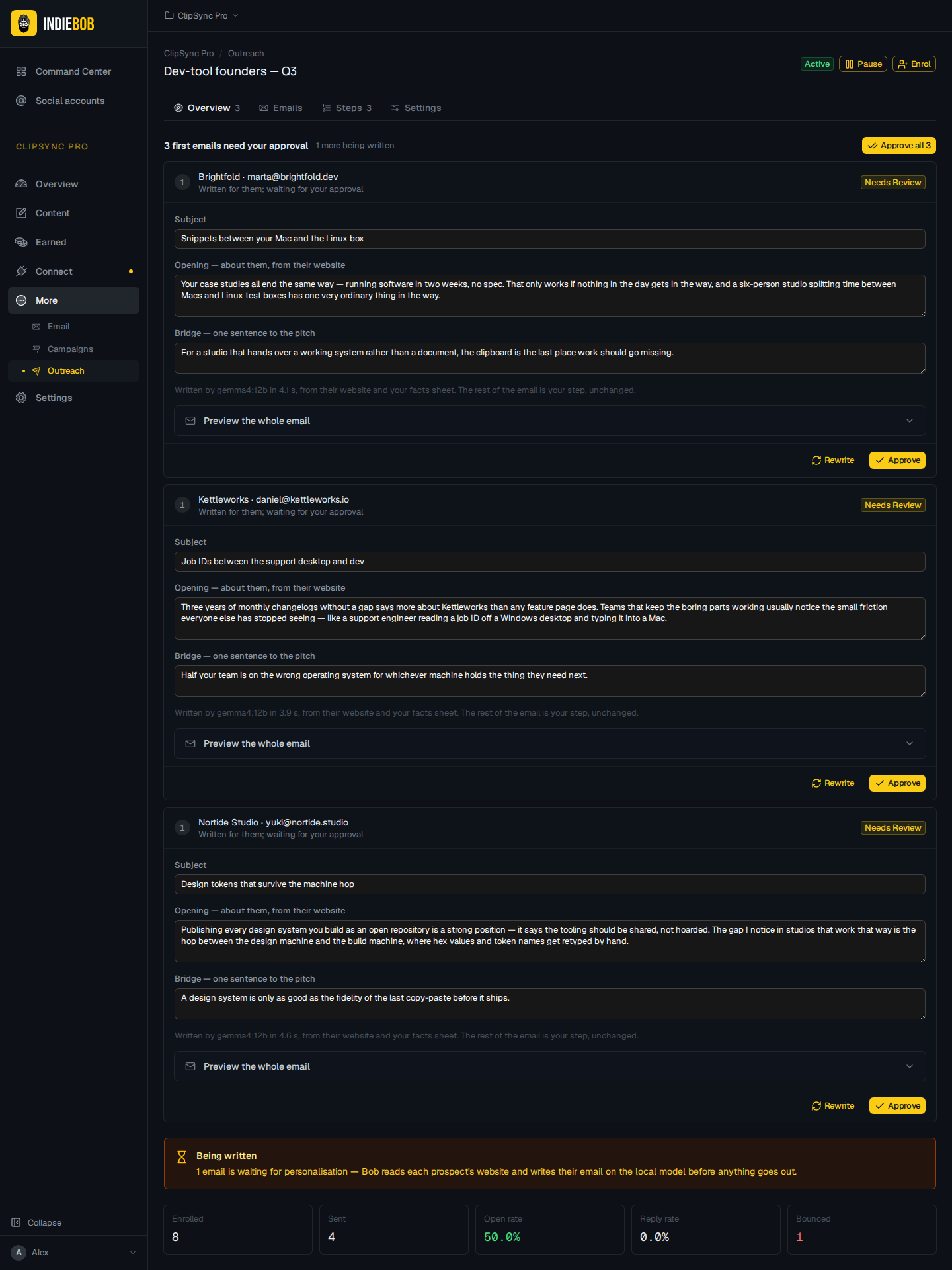
If the rig is offline or the plan cap is hit, the touch waits with the reason shown in full. It never falls back to the generic template — sending the bland version is exactly the thing the feature exists to prevent. And what went out is stored as it went out: subject, HTML, text, message id, per recipient, forever.
6. Do Next: the loop's answer
The Command Center ranks what to do across every project, from the same data every step above wrote.
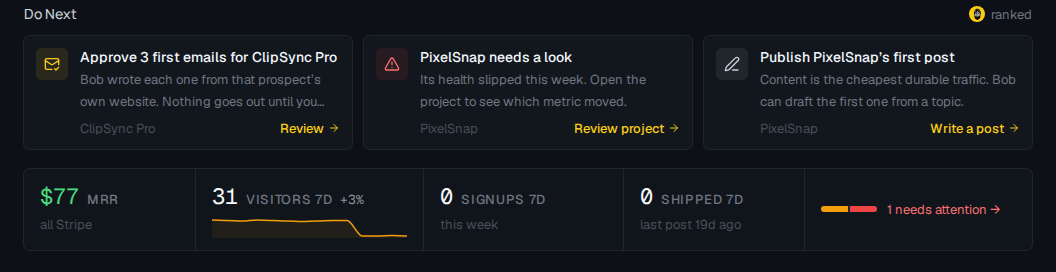
Not a feed. A short ordered list where each row is a button into the tool that does it.
And now: your agent can run all of it
Here is the part that changed this week. Every step above is a capability with a name, and the names are not marketing copy — they come from one registry file in the codebase that is rendered five ways, so it cannot drift from the API it describes:
| Rendering | Where |
|---|---|
| Markdown for a context window | https://www.indiebob.com/agents.md |
| JSON manifest | https://www.indiebob.com/.well-known/agents.json |
| The human docs page | https://www.indiebob.com/docs/agents |
| The API's own front door | GET /api/v1 |
| MCP tool list | @indiebob/mcp |
Thirteen tools, and you can read them off the published package yourself without an account:
echo '{"jsonrpc":"2.0","id":1,"method":"tools/list"}' \
  | INDIEBOB_API_KEY=ib_sk_x npx -y @indiebob/mcp
whoami          list_projects     read_metrics      next_actions
list_posts      get_post          create_post       publish_post
list_prospects  list_sequences    enroll_prospects  list_review_queue
approve_message
Read them against the loop and the map is one to one: list_projects and
read_metrics for the numbers, create_post and publish_post for step 2,
list_prospects and enroll_prospects for step 4, list_review_queue and
approve_message for step 5, next_actions for step 6.
Three ways to wire it up. In Claude Code:
claude mcp add indiebob --env INDIEBOB_API_KEY=ib_sk_… -- npx -y @indiebob/mcp
In Claude Desktop, open
indiebob.mcpb — it asks for your key
and stores it in your system keychain. In any other MCP client, the same
npx -y @indiebob/mcp command in an mcpServers block. The server is in the
official MCP registry as io.github.chemic/indiebob.
It runs on your machine, not ours: a hosted endpoint would have to hold or broker every user's key, and one leak would be everybody's prospect list. The package has zero runtime dependencies and unpacks to about 22 KB.
What an agent deliberately cannot do
A capability list is only trustworthy if it has edges. These are ours, and they are a feature:
- Billing. No agent changes your plan or your card.
- Key minting. An owner mints keys, in a browser, with their own login.
- Project creation and settings. Including the facts sheet — the claims a machine writes from are set by a person.
- Sending.
approve_messageapproves a first touch; it does not send it. The sequence's send window, daily cap and sending account still decide when it leaves.
Scopes are granular and honest about refusal: a key without write:outreach
gets a 403 that names the scope it lacked, and a bad key gets a 401. Every id
resolves inside the key owner's portfolio, so another account's project is a
404 that looks exactly like a project that never existed.
The bottom of the stack
One last link, because people ask what this runs on. The AI writing your emails and your drafts runs on our own solar-powered, battery-backed farm — that's why per-prospect personalisation is included rather than metered into oblivion. Everything else — the app, the API an agent calls, the queue, and the Postgres holding your events, posts, prospects and transactions — runs on DigitalOcean App Platform and DigitalOcean's managed Postgres. It has been a good place to put an indie product: push to deploy, a database with backups we don't administer, and a bill that stays legible while the thing grows.
Start at /docs/agents, mint a key, and point your agent at the loop.
Share this article
Stay up to date
Get the latest insights on indie software growth, marketing tactics, and building profitable projects.
No spam. Unsubscribe anytime.